Manage connections
The Connections tab in the QuickBooks Complete control panel manages QuickBooks companies and the monday boards linked to each QuickBooks data type.
Popular and already configured data types appear first for each QuickBooks company. Select Show more types to see the remaining supported data types. From there, you can create or relink a board, open a linked board, or use the action menu to unlink it. Status, counts, timestamps, re-syncs, and activity history are explained on the Monitoring page.
Create or relink a board
Select Create / Relink for the QuickBooks data type you want to sync. The setup panel offers:
- A previously connected board that is eligible to be relinked.
- Create new board.
The panel previews the QuickBooks fields and monday columns before setup begins. For a new board, QuickBooks Complete creates the supported columns. When relinking, it reuses compatible columns already on the board and shows which missing columns it will create.
New boards are named [Data Type] - [QuickBooks Company Name] by default. You can change the suggested name before creation.
For transaction data types that support historical filtering, choose whether to sync all records or use Sync from to set the earliest transaction date. If the record count exceeds monday’s board limit, use a recent date. See monday’s limit on items per board.
This example creates an Accounts board. Accounts don’t support historical filtering, so the panel has no Sync from control; it appears for supported transaction types.
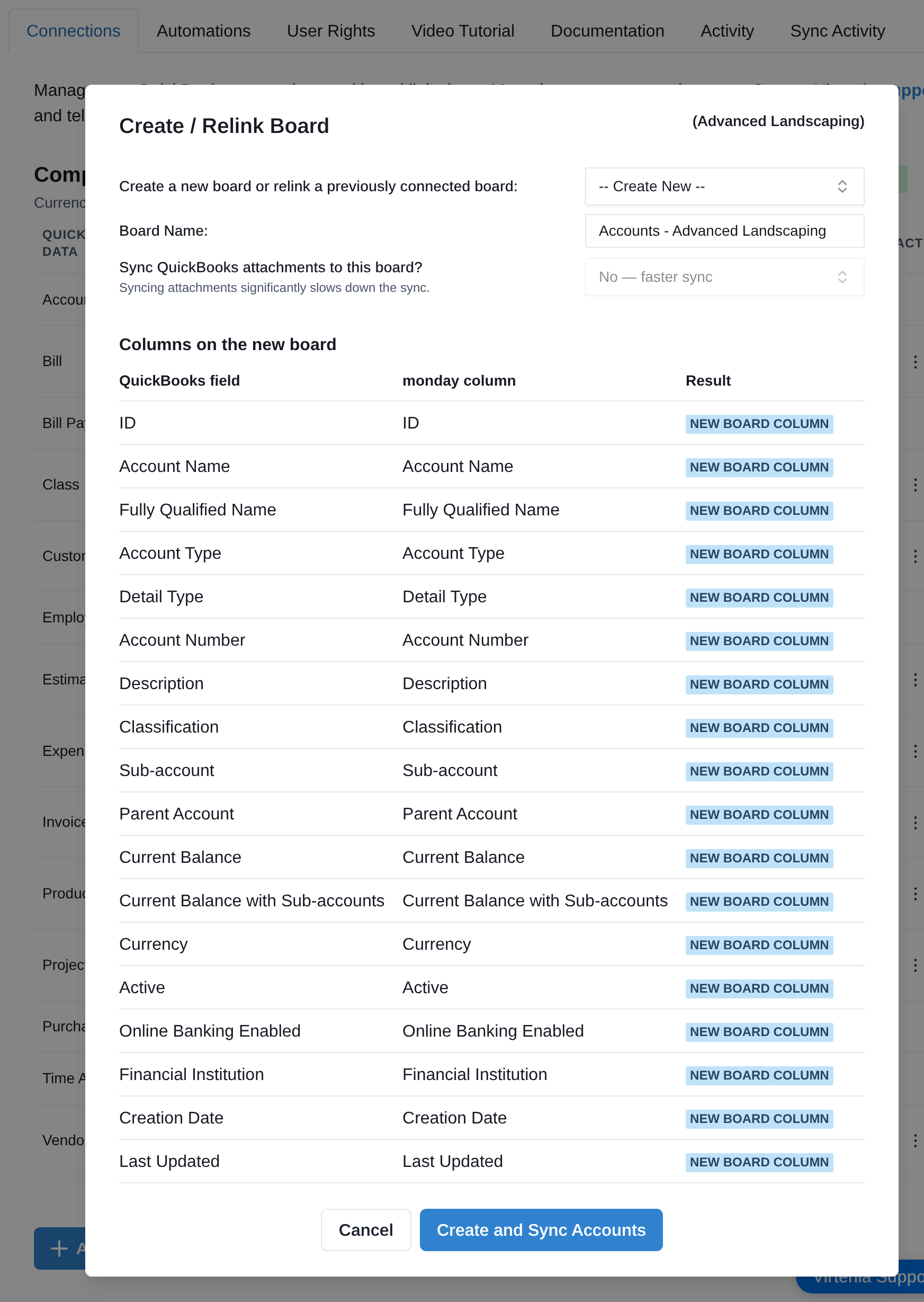
Click Create and Sync or Relink and Sync to begin. Setup records its progress, so it can safely resume after an interruption without replacing a completed mapping or creating duplicate columns.
Automatic column mapping and updates
QuickBooks Complete maintains the supported field mapping for every linked board. Periodically, it compares the current monday columns with the fields supported for that QuickBooks data type.
When support for a field is added, the app reuses a compatible existing column or creates the missing column, updates the mapping, and runs a catch-up sync to populate existing records. No manual Update Board step is required.
Automatic column additions appear on the Activity feed.
Organize synced boards
Synced boards can be renamed or moved into folders without breaking synchronization. The app tracks each board by its internal monday board ID rather than its name or folder.

QuickBooks connection
Your connection to QuickBooks generally stays active long term. In most accounts, no regular reconnect steps are needed.
Account or authorization changes can require reconnecting. If this happens, QuickBooks Complete prompts an authorized user to reconnect the next time the control panel is opened.
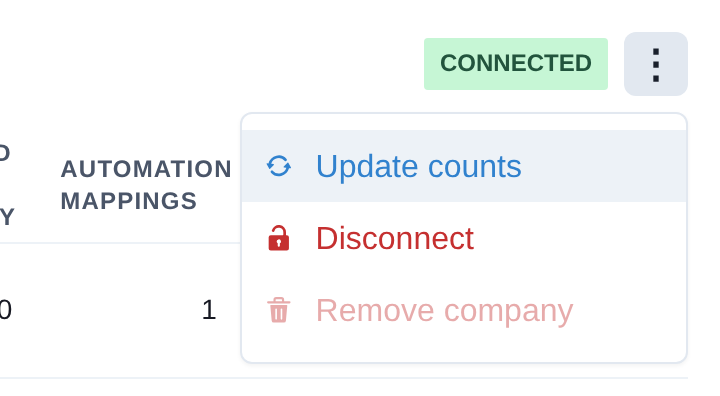
The company menu also provides Update counts, Disconnect, Reconnect, and Remove company according to the user’s rights.
Can’t find the control panel?
If you cannot find the QuickBooks Complete control panel in your monday workspace, it may be in an unexpected folder or may never have been added. Older installations may show a historical app name such as Virtenia Sync.
Add the control panel from the installed app list:
- Open the workspace folder where you want it to appear.
- Click the three-dot menu next to the folder name.
- Select Create in Folder.
- Select More.
- Select Installed Apps.
- Choose QuickBooks Complete.